
Plan together
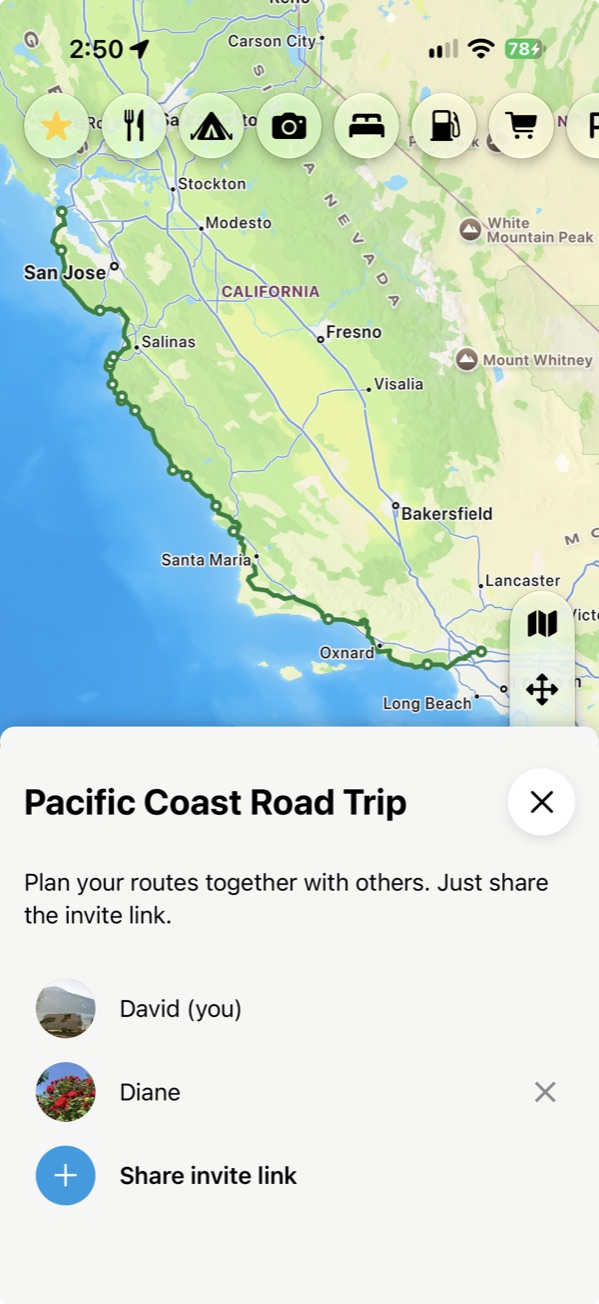
Routes and place lists can both be shared. Everyone invited sees the same map and every change as it happens.
Sharing is part of Premium.
Invite someone to a route
- Open your route as a list: tap the button with its name, or drag the sheet up
- Tap the ⋯ button at the bottom and choose Share
- Choose Share to plan together
- Tap Share invite link and send it however you like
Opening the link adds them to the route. They’ll need Roadie installed and be signed in.
Invite someone to a list
Tap the ⋯ next to a list and choose Share. Same invite link, same result.
Who can do what
Everyone on a route can add, edit, reorder and delete stops. Only the owner can invite new people or remove members — if you joined someone else’s route, you’ll see the owner’s name instead of the invite button.
Shared routes and lists carry a badge, and tapping it shows who’s on them.
Leaving and removing
To remove someone, open the members list and remove them there. To take yourself off a route you joined, choose to remove yourself — this doesn’t delete the route for anyone else.
If an invite doesn’t work
Invite links expire, and they stop working if the route was deleted. If you’re already a member, the link says so. You can also paste an invite link manually: Settings → Accept invite.
Still stuck? Write to support@getroadie.app.