
How do I start the navigation?
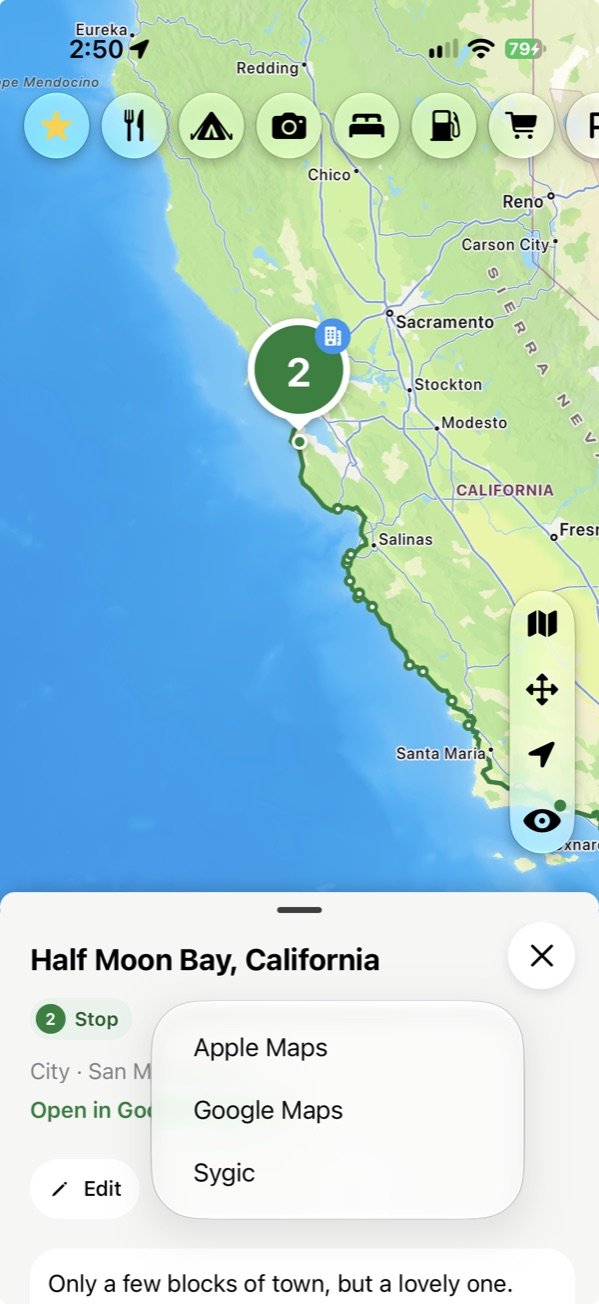
Select a stop on your route and tap Navigate. Roadie offers the navigation apps installed on your phone — Apple Maps, Google Maps, Waze or Sygic — and hands over the stop. Navigation runs from where you are to that stop.
Can I navigate the exact course of my route?
Not yet. Navigation apps accept only a small number of waypoints from other apps, so Roadie can’t pass a whole route with all its legs. It navigates to one stop at a time, in the app you prefer.
Why is there no navigation inside Roadie?
- Building navigation that’s good enough to rely on is a large project of its own
- There are already excellent, free navigation apps
- Most people have a navigation app they know and trust
- It would depend on a navigation provider that charges for every use, which would make Roadie more expensive
Roadie is for planning the trip. For the driving, it works with the app you already use.
Still stuck? Write to support@getroadie.app.